How to Configure SOCKS5 Proxy in IxBrowser
What is an Antidetect Browser?
ixBrowser is a powerful anti-detect browser that helps you create unlimited separate browser profiles for each account.
It not only protects your online data privacy, but also helps you maintain different profiles.
With ixBrowser, team management becomes more efficient as the team leader can freely set group member permissions and assign files.
Key features:
Privacy protection: Masks your real browser fingerprint (IP, OS, hardware, etc.).
Team collaboration: Share profiles, proxies, and set permissions for team members.
Free profiles: No need to pay for configuration files—create unlimited profiles for free.
High pass rate: Passes strict fingerprint detection tools like BrowserScan.
Perfect for social media matrices, e-commerce, traffic arbitrage, and scaling operations without bans.
Quick Setup: HighProxies SOCKS5 + ixBrowser
Follow this guide to integrate your HighProxies SOCKS5 proxy.
Each profile gets isolated IP + fingerprint for maximum anonymity.
Test Proxy First
Step 1: Download ixBrowser
Download software https://ixbrowser.com/en/download-page
Test proxy: IP: 213.139.196.104:31290
Username: Check proxy control panel
Password: Check proxy control panel
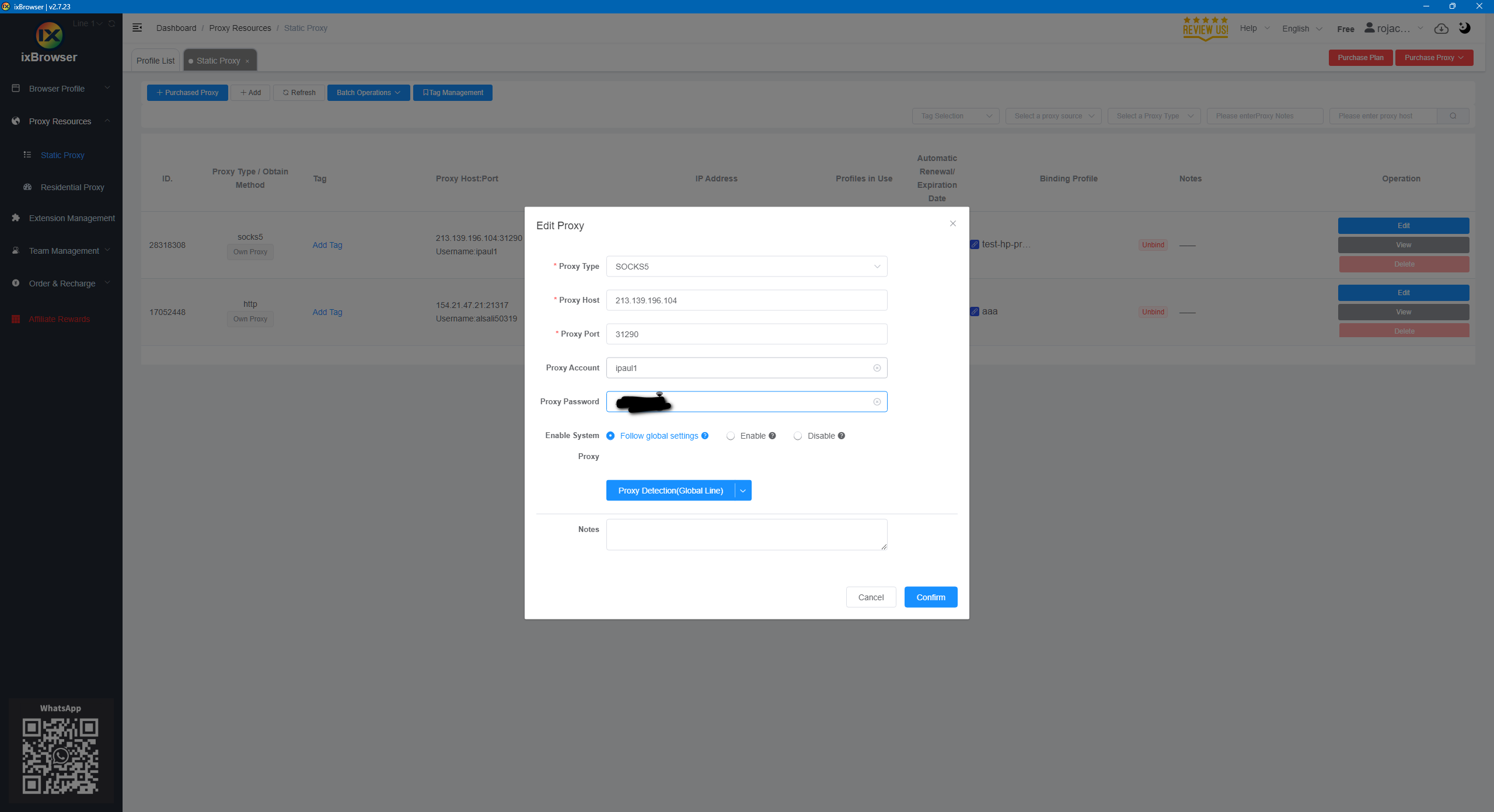
Step 1: Test Proxy Visibility
Visit BrowserScan.
Confirm your proxy has the correct geolocation info
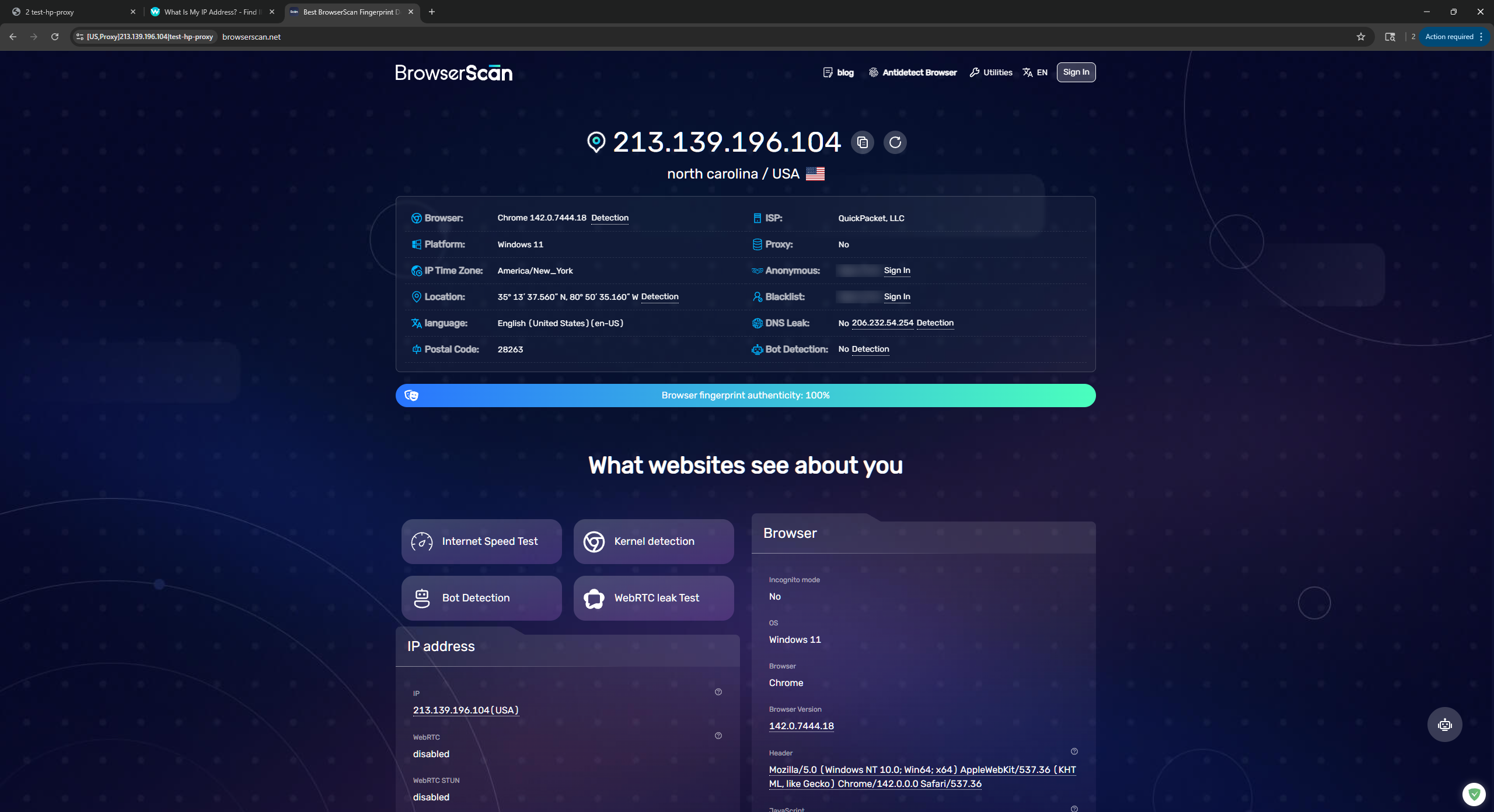
Step 2: Create New Profile
Open ixBrowser
Click “New Profile”
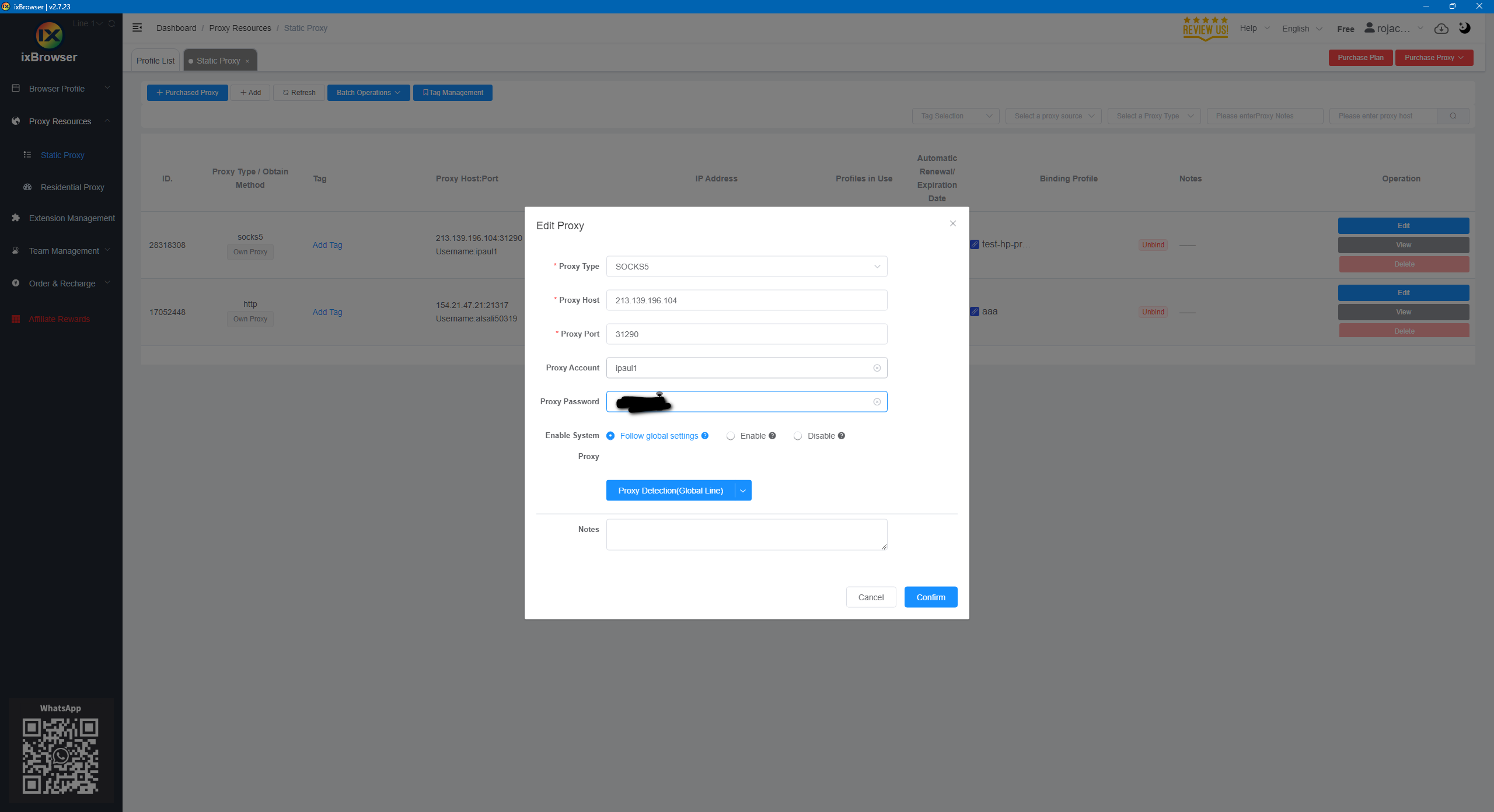
Step 3: Configure SOCKS5
| Field | Value |
|---|---|
| Proxy Type | SOCKS5 |
| IP / Host | 213.139.196.104 |
| Port | 31290 |
| Username | Check proxy control panel |
| Password | Check proxy control panel |
Step 4: Launch & Test
Open profile, re-test BrowserScan.