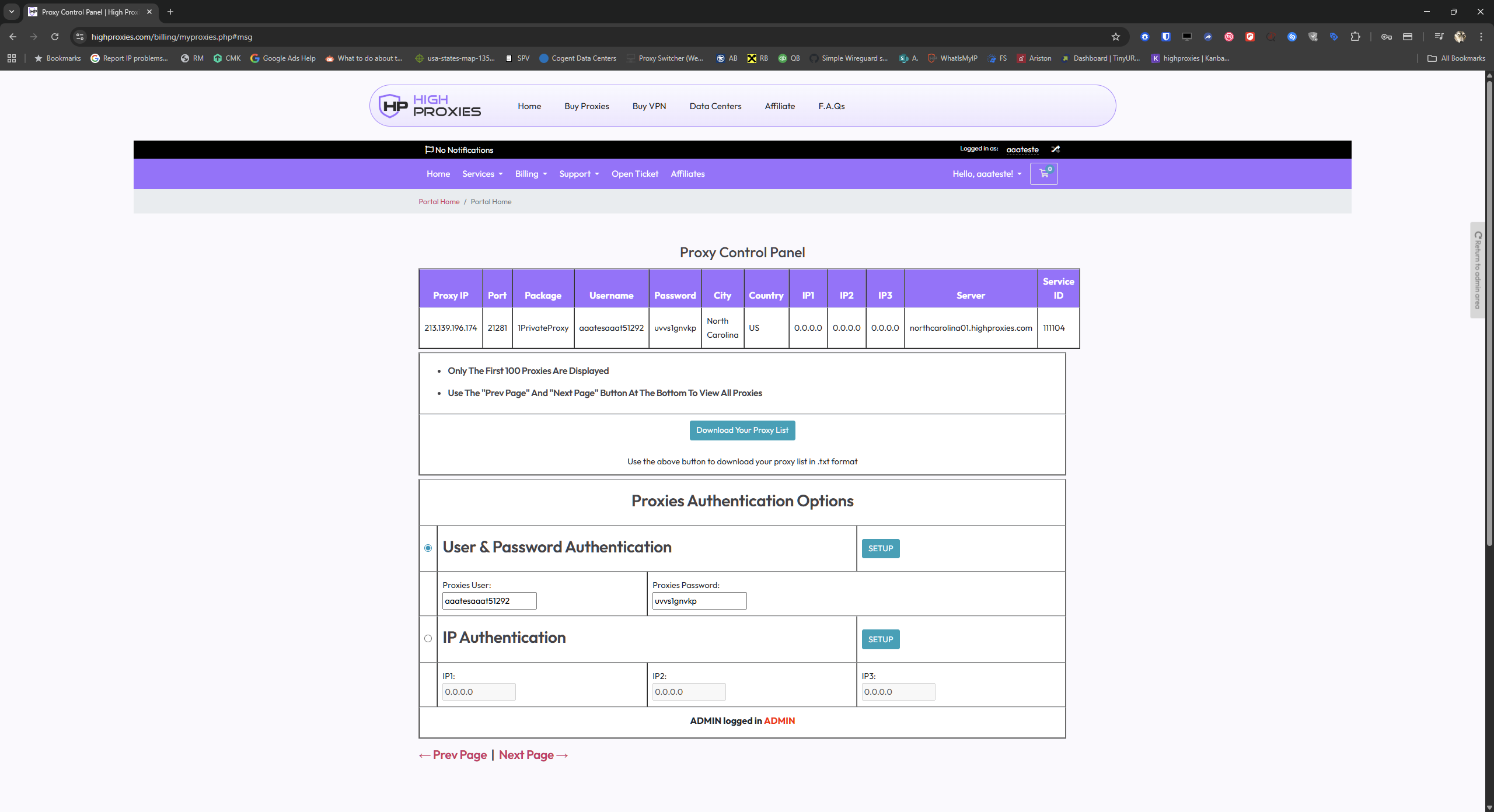
All required values (Host, Port, Username, Password) are available in your HighProxies control panel on the
My Proxies page under your active proxy package:
https://highproxies.com/billing/myproxies.php
- Host: proxyIP
- Port: proxyPORT
- Username: proxyusername
- Password: proxypassword
Copy and paste these values exactly as shown to avoid typos. If you see a “proxy authentication failed” error, it almost always means the username or password was entered incorrectly.
Screenshot example (for guidance only):