
DNS over TLS vs DNS over HTTPS: Secure DNS Setup Guide
Learn the difference between DNS over TLS (DoT) and DNS over HTTPS (DoH), choose the right encrypted DNS protocol, and configure a HighProxies secure DNS endpoint for your device or browser.
Secure DNS encrypts DNS requests between your device and the selected resolver. When you use a resolver near your proxy or VPN location, DNS responses and content delivery routing may also be more consistent with that location.
Why Encrypted DNS Matters
Traditional DNS requests are commonly sent without transport encryption. This can expose the requested domain names to the local network, internet provider, or another system in the network path.
DNS over TLS sends DNS traffic through a dedicated encrypted channel, normally on port 853. DNS over HTTPS sends encrypted DNS requests through HTTPS, normally on port 443.
DoT and DoH protect the connection to the DNS resolver, but they do not make browsing anonymous. The resolver must still process each query, and encrypted DNS does not replace an HTTP/HTTPS proxy, SOCKS5 proxy, or VPN.

DNS over TLS vs DNS over HTTPS
Both protocols encrypt DNS traffic. The better option depends on your operating system, browser, router, firewall rules, and whether you want device-wide or application-specific DNS control.
DNS over TLS
DoT normally uses TCP port 853. It is a practical choice for system-level encrypted DNS on supported Android devices, Linux systems, routers, and local resolvers.
DNS over HTTPS
DoH normally uses HTTPS on TCP port 443. It is supported by current browsers and operating systems, including Google Chrome and Windows 11.
Location-Aware Resolution
Selecting a DNS endpoint near your proxy or VPN location can help reduce DNS latency and avoid inconsistent content delivery routing.
You want system-level secure DNS
Use DoT when the operating system, router, or resolver supports it and the network allows outbound connections on port 853.
You need browser support or port 443
Use DoH when it is supported by your browser or operating system, especially on networks where port 853 is unavailable.
How to Configure DNS over HTTPS and DNS over TLS
Use the instructions below as a starting point, then run a DNS leak test. Menu names and available options may differ by operating-system or browser version.
Windows 11: DNS over HTTPS
Open Network Settings
Open Settings > Network & internet, then select the active Wi-Fi or Ethernet connection.
Edit DNS Assignment
Find DNS server assignment, select Edit, choose Manual, and enable IPv4.
Enable Encrypted DNS
Enter the assigned resolver IP address, select the encrypted DNS option, add the matching DoH template when requested, and save the settings.
Android, Google Chrome, and Linux
Android Private DNS
Open Settings > Network & internet > Private DNS. Select the private DNS provider hostname option and enter the matching hostname, such as paris20-dns.highproxies.com.
Google Chrome DoH
Open Settings > Privacy and security > Security > Use secure DNS. Select a custom provider and enter a URL such as https://paris20-dns.highproxies.com/dns-query.
Linux with systemd-resolved
Confirm that your Linux distribution uses systemd-resolved. Set DNSOverTLS=yes in /etc/systemd/resolved.conf, configure the assigned resolver, restart the service, and test resolution.
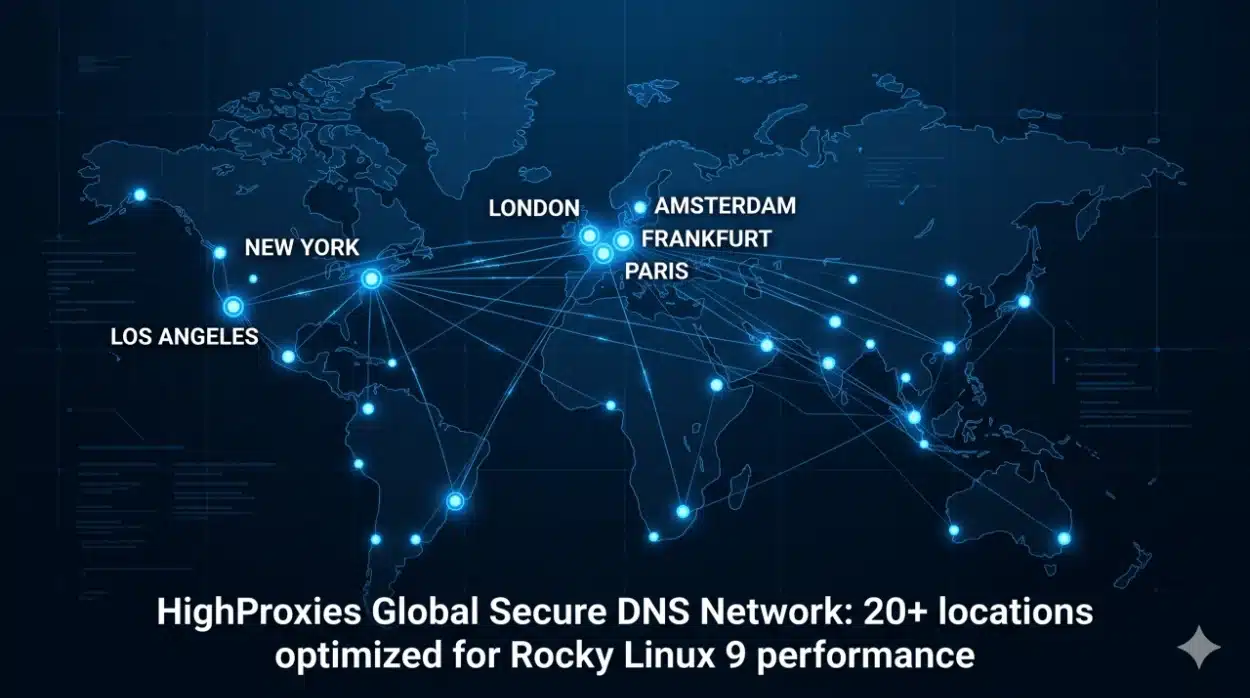
Global Secure DNS Endpoints
Choose the hostname that corresponds with your assigned proxy or VPN datacenter. Endpoint availability may change, so confirm the correct resolver for your active service before production use.
Amsterdam
amsterdam05-dns.highproxies.com
Frankfurt
frankfurt01-dns.highproxies.comfrankfurt10-dns.highproxies.com
Las Vegas and Los Angeles
lasvegas05-dns.highproxies.comlosangeles40-dns.highproxies.com
Madrid
madrid01-dns.highproxies.com
Milano
milano10-dns.highproxies.com
New Jersey and North Carolina
newjersey01-dns.highproxies.comnorthcarolina01-dns.highproxies.com
Paris
paris05-dns.highproxies.comparis20-dns.highproxies.com
Phoenix and San Jose
phoenix05-dns.highproxies.comsanjose02-dns.highproxies.com
Tokyo
tokyo01-dns.highproxies.comtokyo10-dns.highproxies.comtokyo15-dns.highproxies.com
Toronto
toronto01-dns.highproxies.com
Washington
washington01-dns.highproxies.com
Secure DNS Performance and Privacy Features
HighProxies DNS endpoints support practical resolver features intended to improve repeated lookups, reduce unnecessary query disclosure, and keep resolution close to supported proxy locations.
Resolver Caching
Frequently requested DNS records can be served from cache until their valid time-to-live expires, reducing repeated upstream lookups.
QNAME Minimisation
QNAME minimisation reduces the amount of query information sent to upstream authoritative DNS servers where supported.
Location-Aware Resolution
Resolver placement near supported HighProxies datacenters can help DNS and content delivery responses remain consistent with the selected service location.
Need Help Configuring Secure DNS?
Contact HighProxies support if you need help selecting an endpoint, checking DNS encryption, or troubleshooting a DoT or DoH configuration used with a private proxy, SOCKS5 proxy, or VPN service.
Secure DNS Frequently Asked Questions
Review common DNS over TLS, DNS over HTTPS, resolver location, encryption, and DNS leak questions.
Why does my connection fail after enabling DNS over TLS?
TCP port 853 may be blocked by your firewall, router, internet provider, or office network policy. If DoT is unavailable, try DNS over HTTPS on port 443 where your network policy permits it.
Does secure DNS hide queries from the DNS resolver?
No. DoT and DoH encrypt the network path between your device and the resolver. The resolver must still process the DNS query. Secure DNS improves transport privacy, but it does not guarantee anonymity.
Why does an IP checker show a different location?
Some test sites report DNS resolver, CDN, browser, or WebRTC information rather than only the proxy exit IP. Compare results from more than one tool and confirm that your browser, proxy, VPN, and DNS settings use the intended location.
How can I test whether DNS is encrypted?
Run a reputable DNS leak test after configuring DoT or DoH. The result should show the expected HighProxies resolver hostname or location instead of the DNS resolver supplied by your local internet provider.
What should I check first if DNS still leaks?
Check IPv6 and application-specific DNS settings. If secure DNS is configured only for IPv4, some systems may continue to use an IPv6 resolver. A browser, proxy client, or VPN application may also override the operating-system DNS configuration.
Should I use the DNS endpoint closest to me or to my proxy?
When you use a HighProxies proxy or VPN, choose the secure DNS endpoint associated with that service location unless support instructs you otherwise. This can provide more consistent DNS and content delivery routing.